Sketchup
Sketchup 专篇
Daily 3D modeling. Small-object practice, scene-creation studies, and a custom dynamic-component method developed in the studio.
- Research
- DoraWolf Studio
About
Sketchup has been on the studio’s toolbar for a long time. Inside architecture it is mostly framed as a tool for studying massing, but I treat it as a pencil, something to throw a sketch down with, erase, and redraw at almost no cost. That posture suits any form that has not yet decided what it wants to be.
Around that pencil the studio has gradually folded SubD subdivision, Curviloft lofting, and MSPhysics dynamics into the main workflow, and on top of that worked out an in-house approach to dynamic components. Sketchup is less a piece of architectural software here than an instrument that is willing to follow a line off-topic. The three chapters below record some of the work that pencil has produced.
Small objects
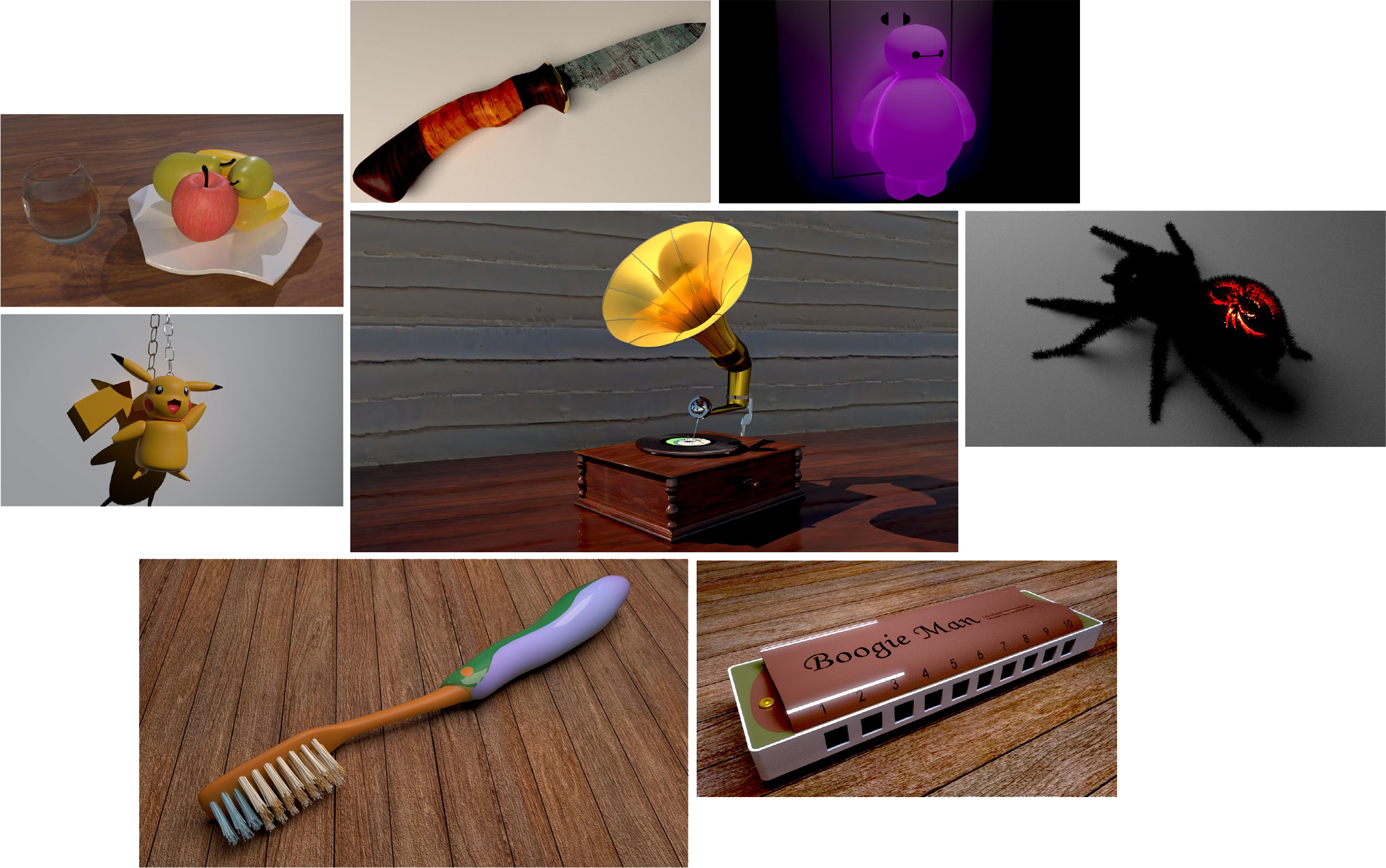
The first family of exercises starts at the small-object scale: a fruit tray, a knife, a night-light, a charm, a phonograph, a spider, a toothbrush, a harmonica. Each one begins from the most ordinary outline: vertex editor to push the form into shape, SubD to soften it, Curviloft to stitch the surfaces shut.
These objects have no correct version. Their job is to make the workflow run cleanly: how a face is divided, how a single curve decides the entire form. The muscle memory built up in this chapter has quietly carried every more complex study that came afterwards.
Scenes
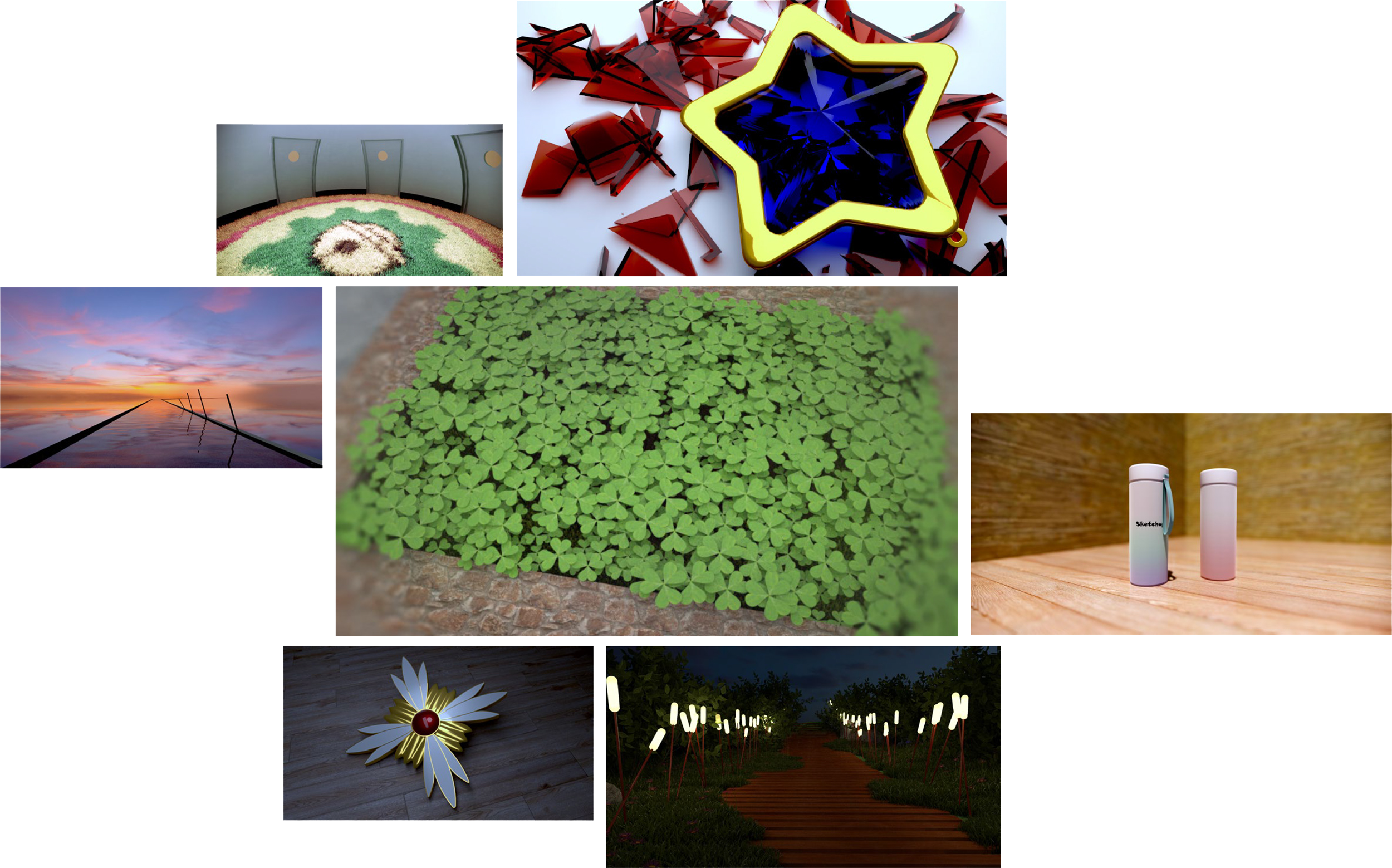
The second family pulls back from a single object to a whole scene. The source material is drawn from daily observation and from an internal image archive: an explorer’s hat, stars sitting in broken glass, a seaside boardwalk, a clover meadow, a mug carrying the Sketchup mark, a small medal-like object, a path through reeds in the wind.
Scene work leans on two plugins. MSPhysics makes objects fall and pile up the way real things do; Skatter scatters natural elements so they neither tile nor repeat. Together they round off the slightly geometric stiffness Sketchup defaults to.
A studio dynamic-component method
The third family takes a closer look at Sketchup’s dynamic components: the official samples that can be clicked, scaled, and parametrically reshaped. Pulled apart, they are just a small system of attributes plus formulas; combined with the right plugins, they can do far more than the documentation suggests.
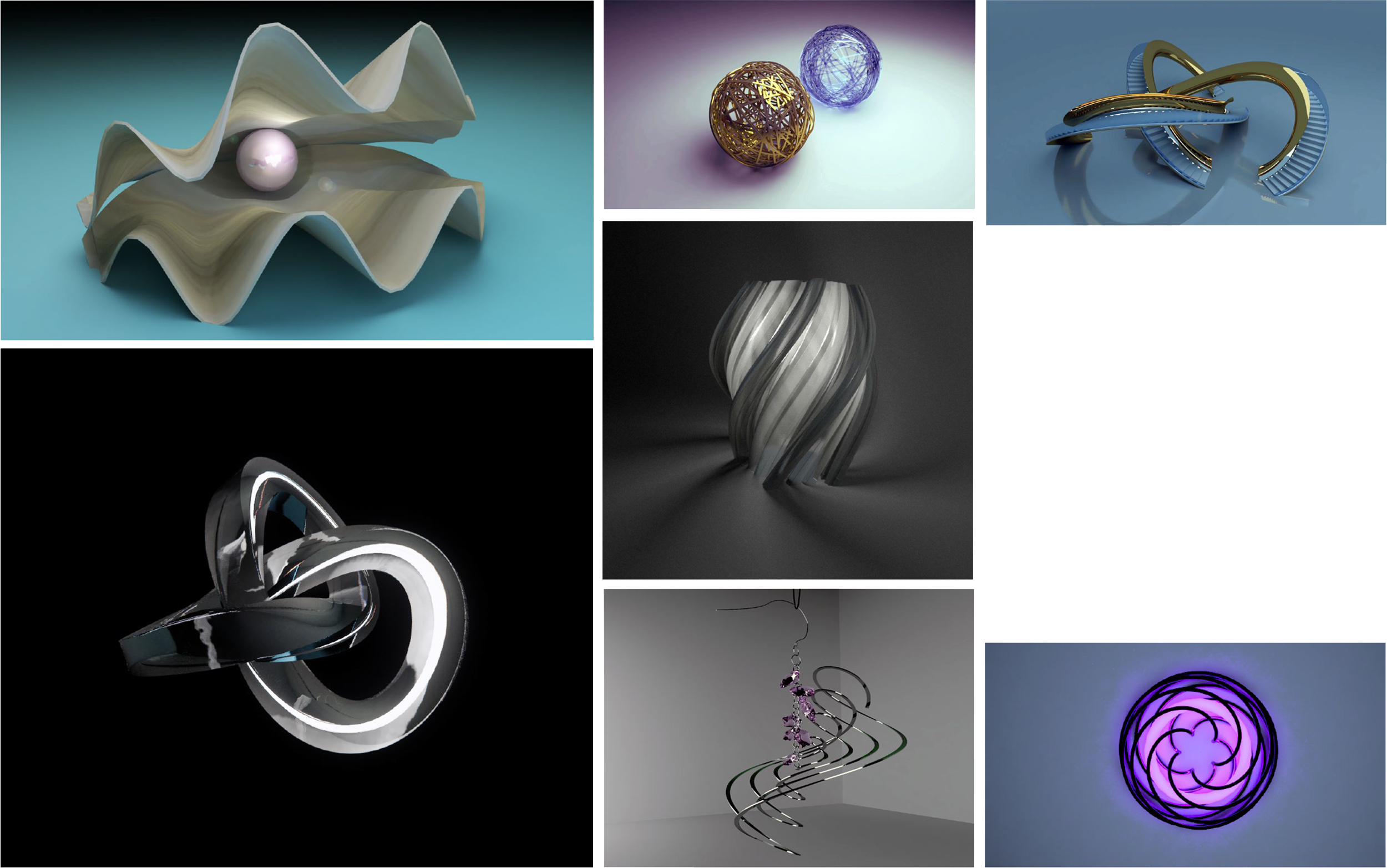
The image below shows a set of parametric models built with this approach. Every form is reachable through its parameters: a shell, a parameter ball, a three-segment pedestrian bridge, a parameter ring, a snowflake lamp, a pair of earrings, a wall lamp.
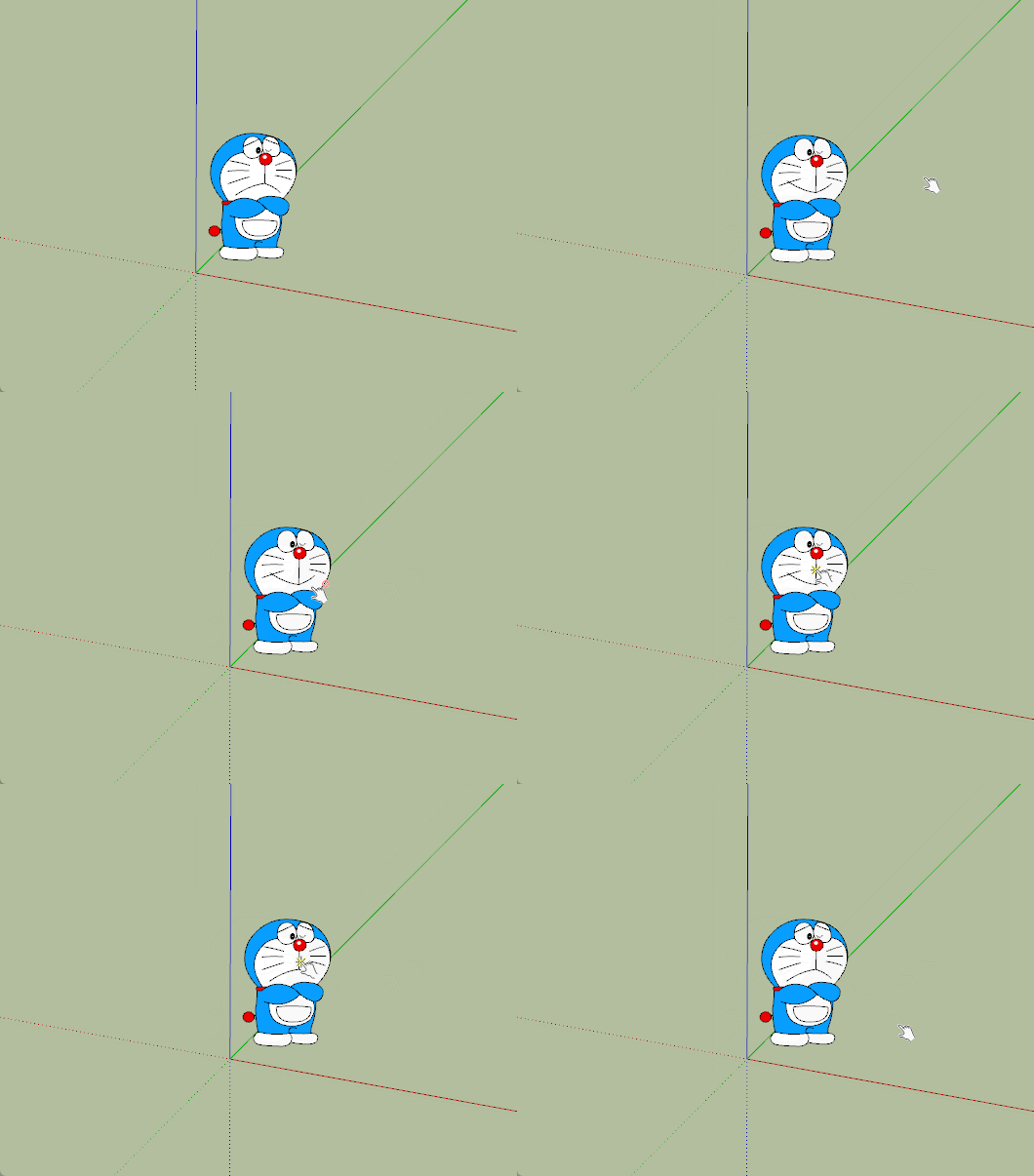
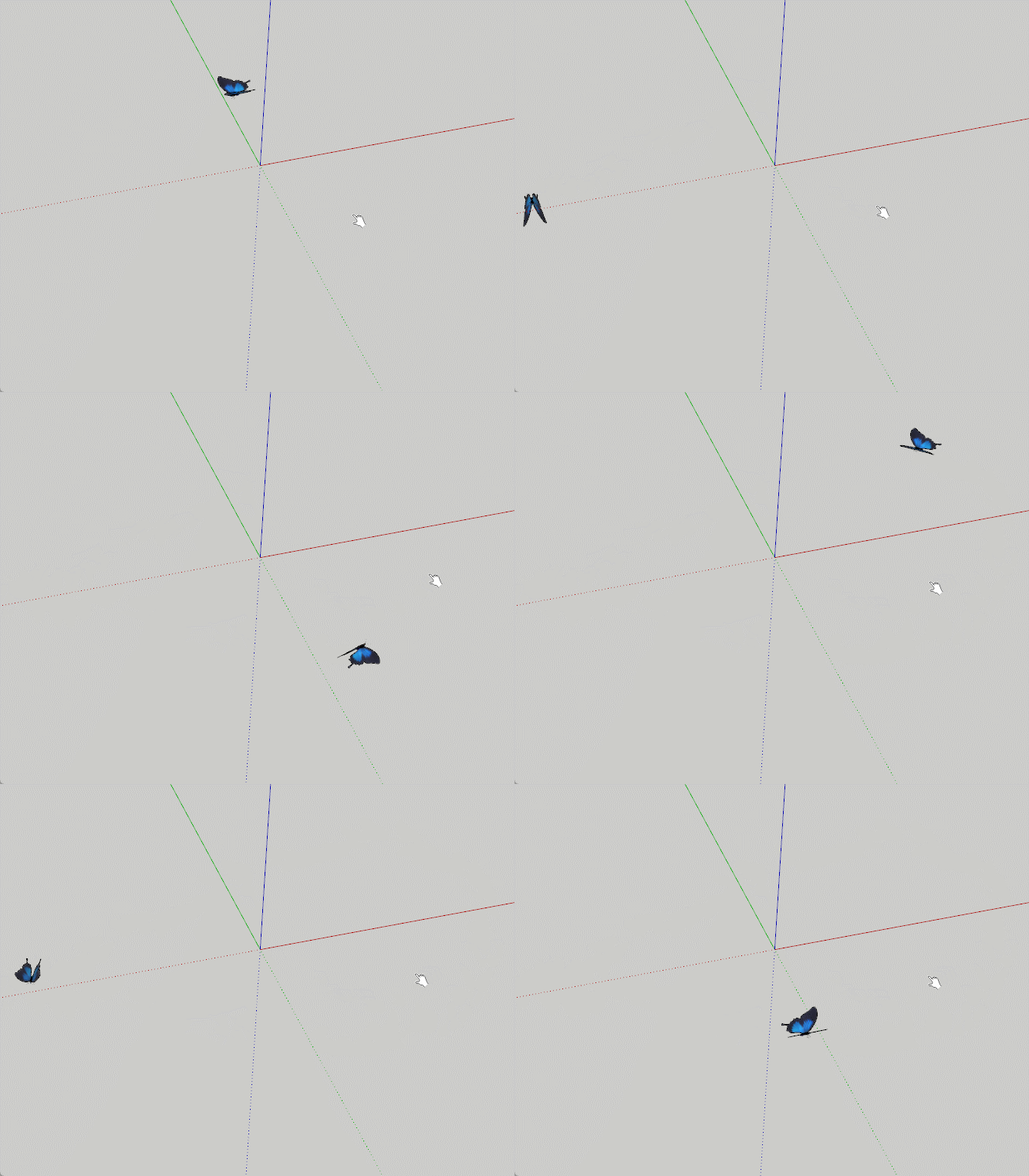
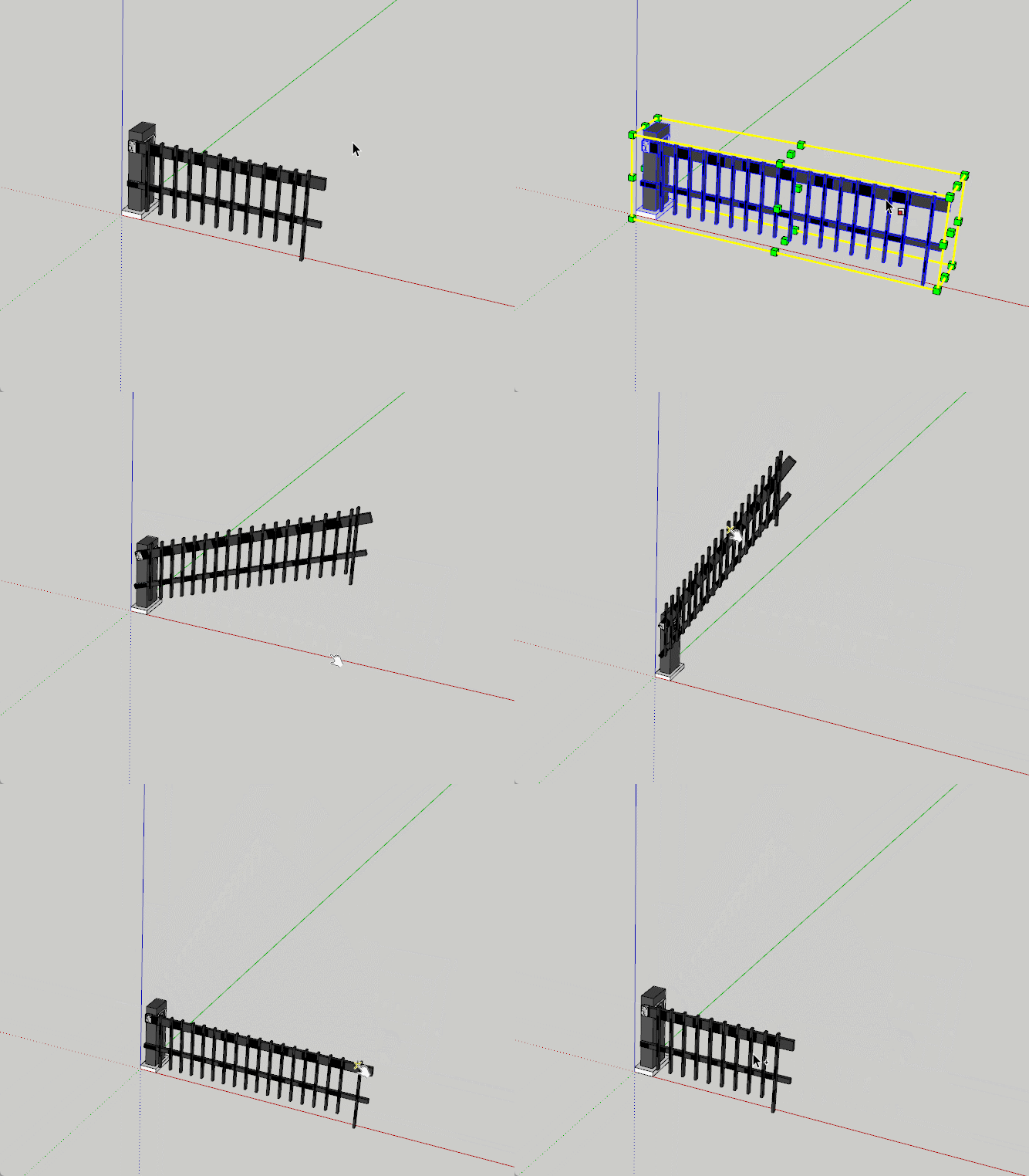
Static images can’t really show parametric behaviour, so the GIFs below record what happens when the parameters move.
The simplest case first: a mouse click swaps between two facial expressions. The trick is to model both, then toggle their hidden attribute on click.
A butterfly that flies. A click increments an internal counter; the butterfly’s coordinates are tied to that counter through trigonometric functions, and its wings come alive.
A garden gate, similar in principle to the butterfly, with one extra. A fixed-size parameter so the gate can be scaled to any width while keeping its open / close animation on click.
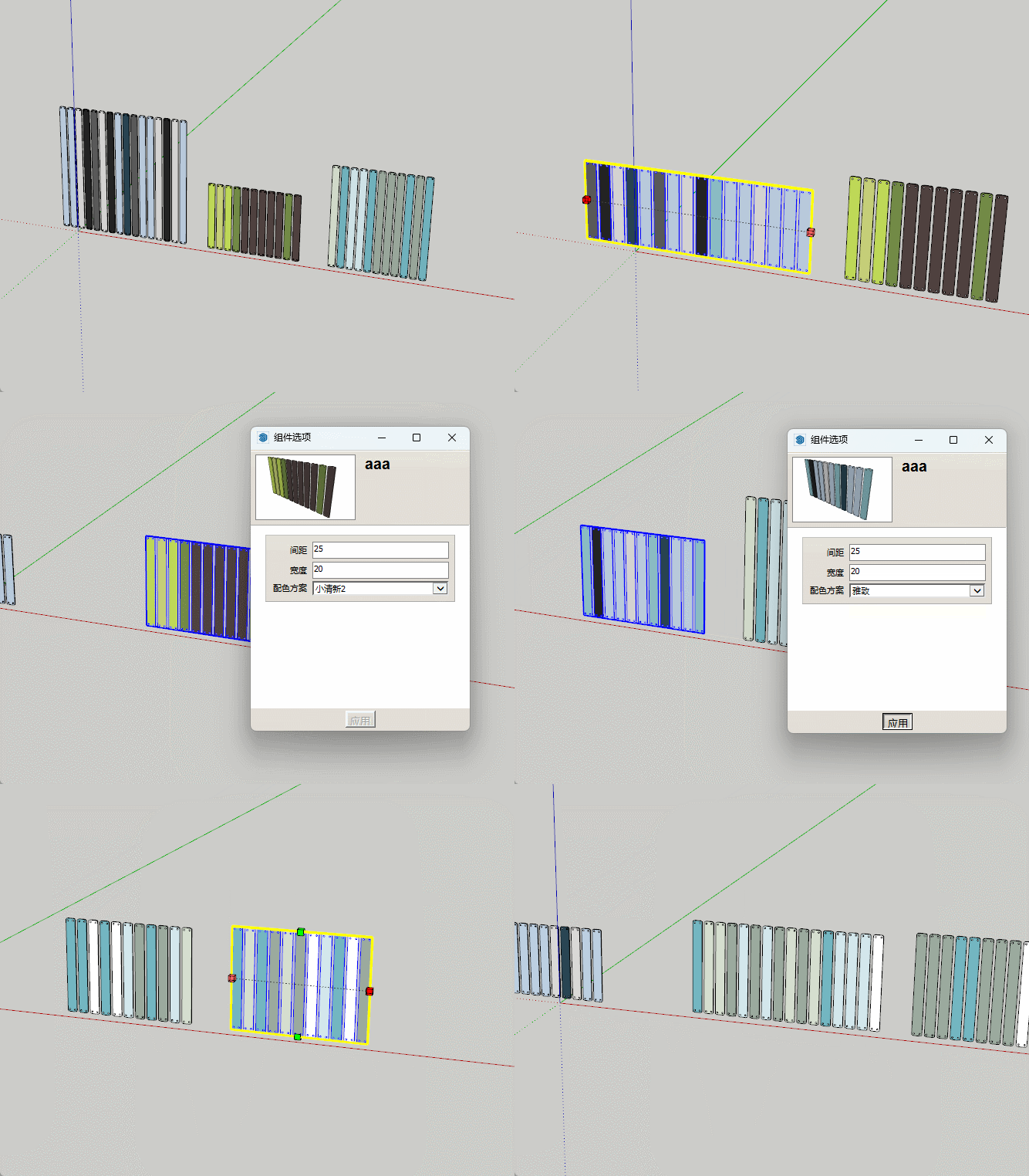
A fence that randomly switches colour. Both length and the palette of colours are exposed to parameters: you don’t model one fence, you model a family of them.
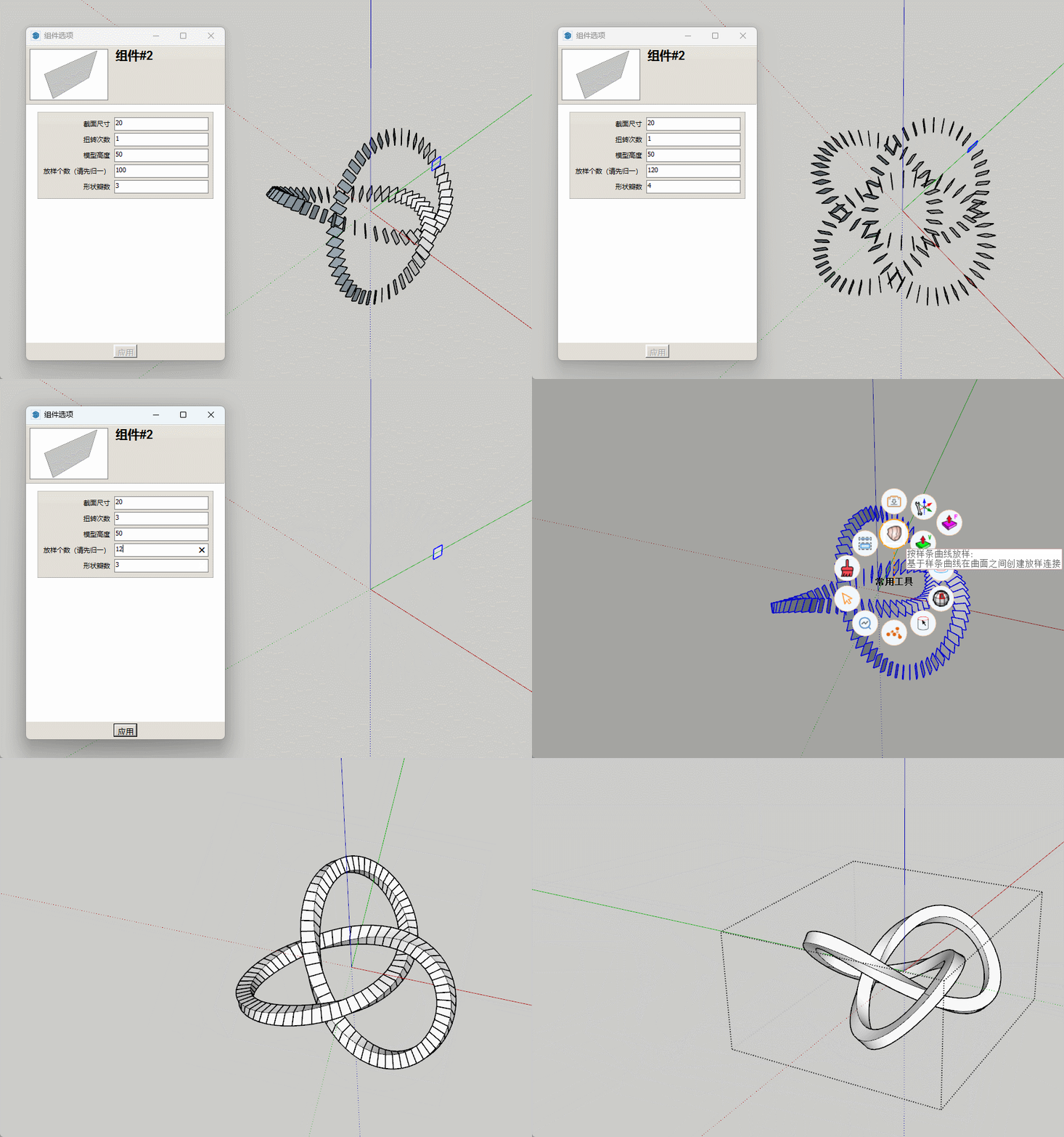
The parameter ring. The formula is converted directly into the model’s polar coordinates; one parameter set yields one form, and Curviloft stitches the slices into a single clean solid.
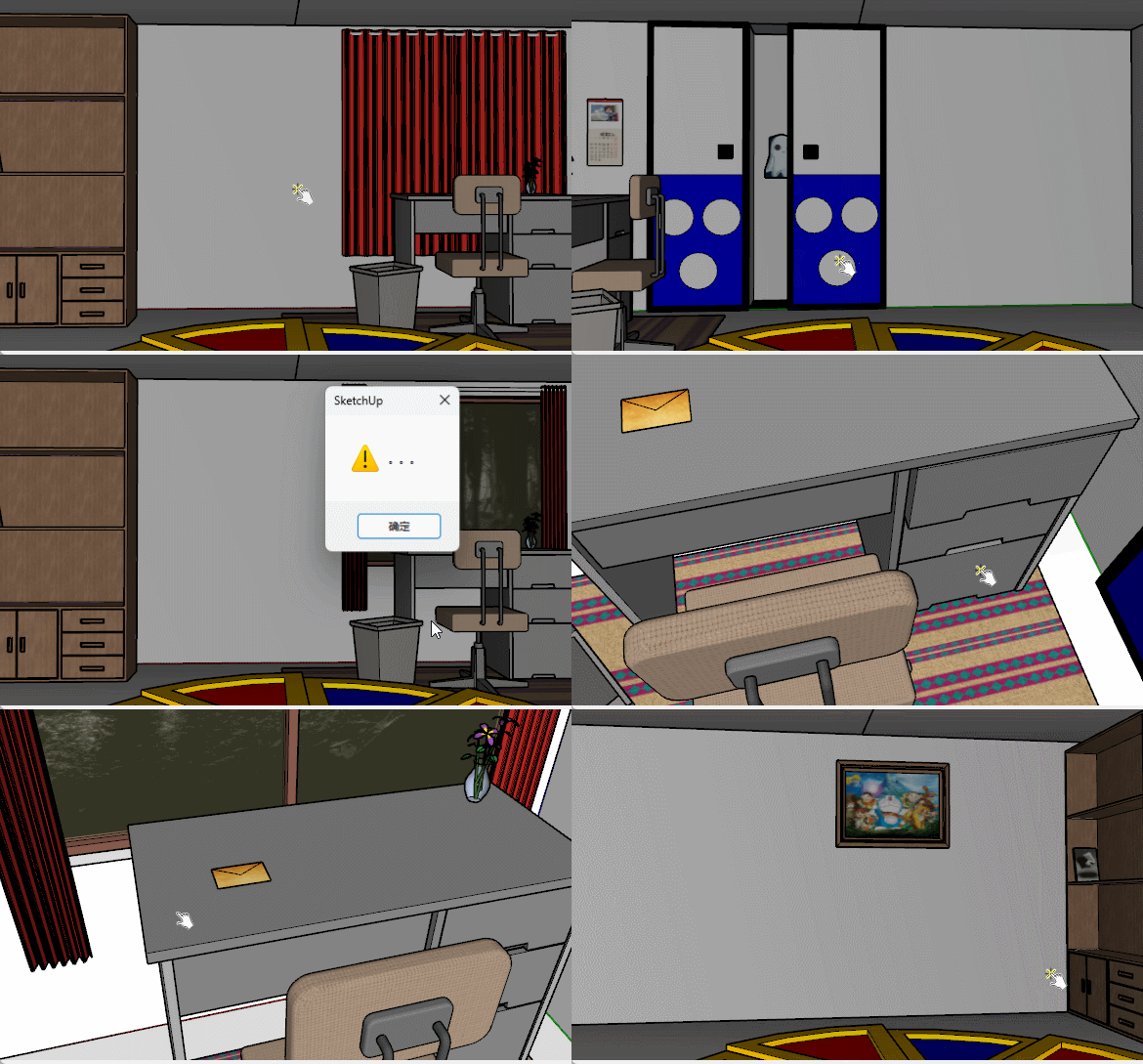
And finally an escape-room exercise. Mouse clicks trigger events; you solve puzzles to leave the room. By this point it has stopped being modelling at all. It is closer to writing a small interactive piece in the language of Sketchup.